
The expense happened. The paperwork did not make it back.
Expense records without the scavenger hunt
Stop chasing receipts.
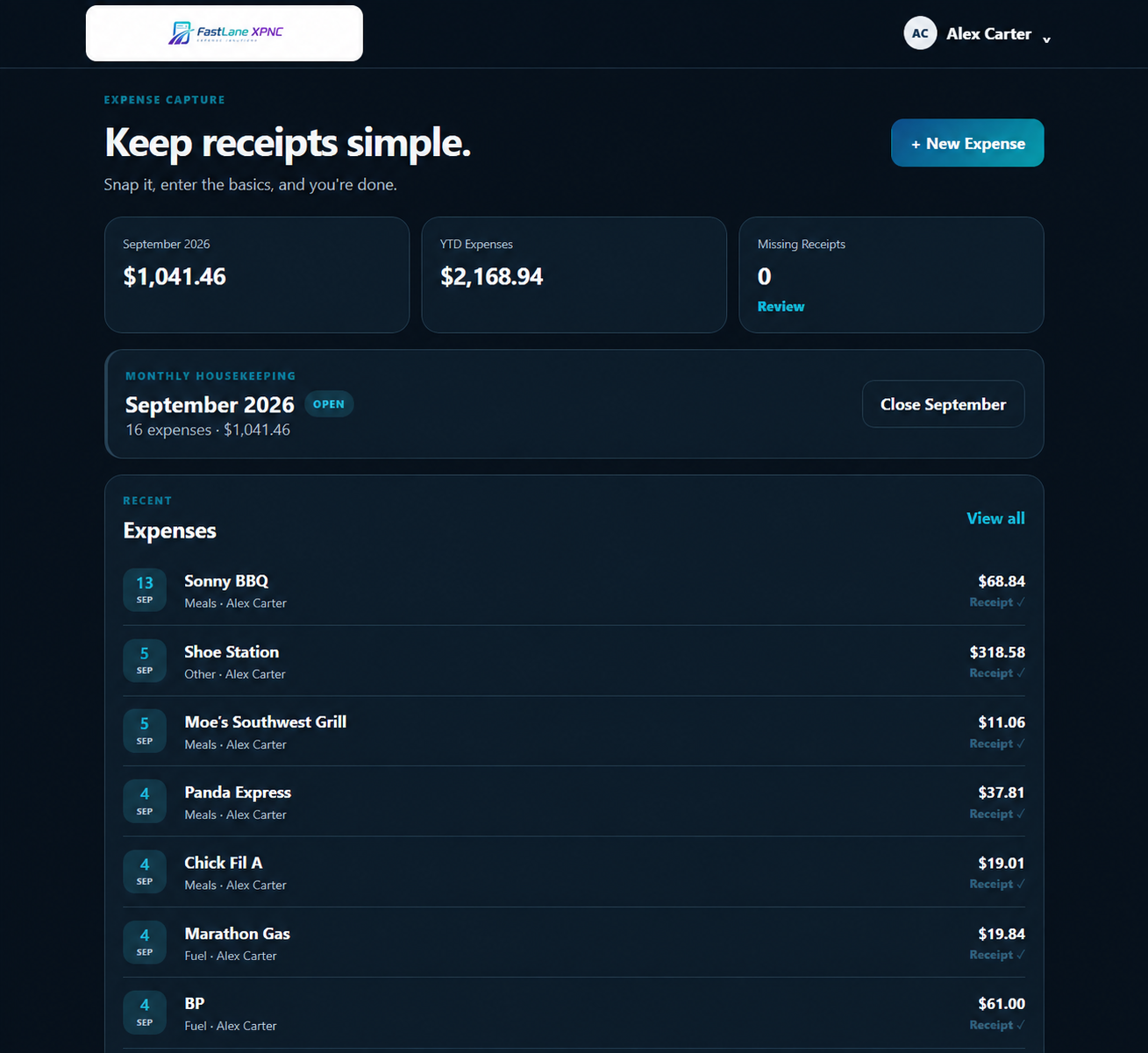
Add the expense. Attach the receipt. Keep the month organized from your phone or desktop.
$9.99 per company per monthMultiple usersOne simple plan
The problem
Expenses should not become a month end scavenger hunt.
Receipts get left in trucks, wallets, desks, camera rolls, and text messages. By the time someone enters everything, the details are missing and the month needs cleanup.
Weeks later, someone has to remember what it was for and who paid.
Amounts, vendors, notes, and receipts are scattered across different places.
Instead of closing the month, you are asking where the receipt went.
XPNC gives the expense and its documentation one place to live from the start.
A simpler workflow
Capture it. Keep it. Close the month.
Record the expense while it is fresh, keep the receipt with it, then review the month when you are ready.
Record the important details while they are still fresh.
Keep the receipt or supporting document with the expense.
See what is complete and find what still needs attention.
Protect the finished records and export what you need.
Capture it now
Record it while it is still fresh.
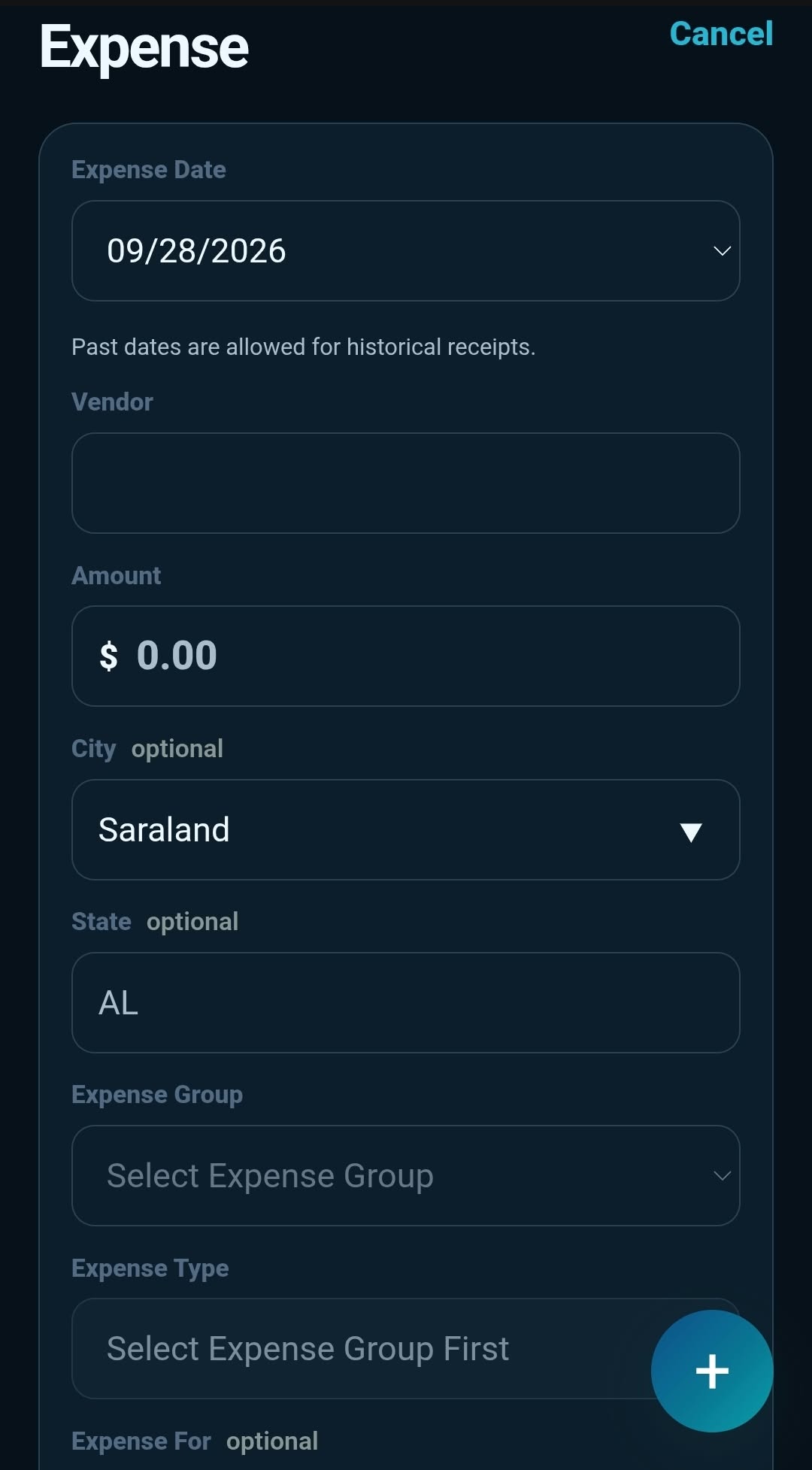
Bought supplies on the way to a job? Paid for fuel? Covered a business meal? Add the expense from your phone instead of telling yourself you will remember it later.
Add the vendor and amount
Record who paid
Choose what the expense was for
Add city and state
Attach the receipt before it disappears
Need to catch up on older records? XPNC also supports expense entry for prior months and years.
Receipts and documentation
Keep the paperwork with the expense.
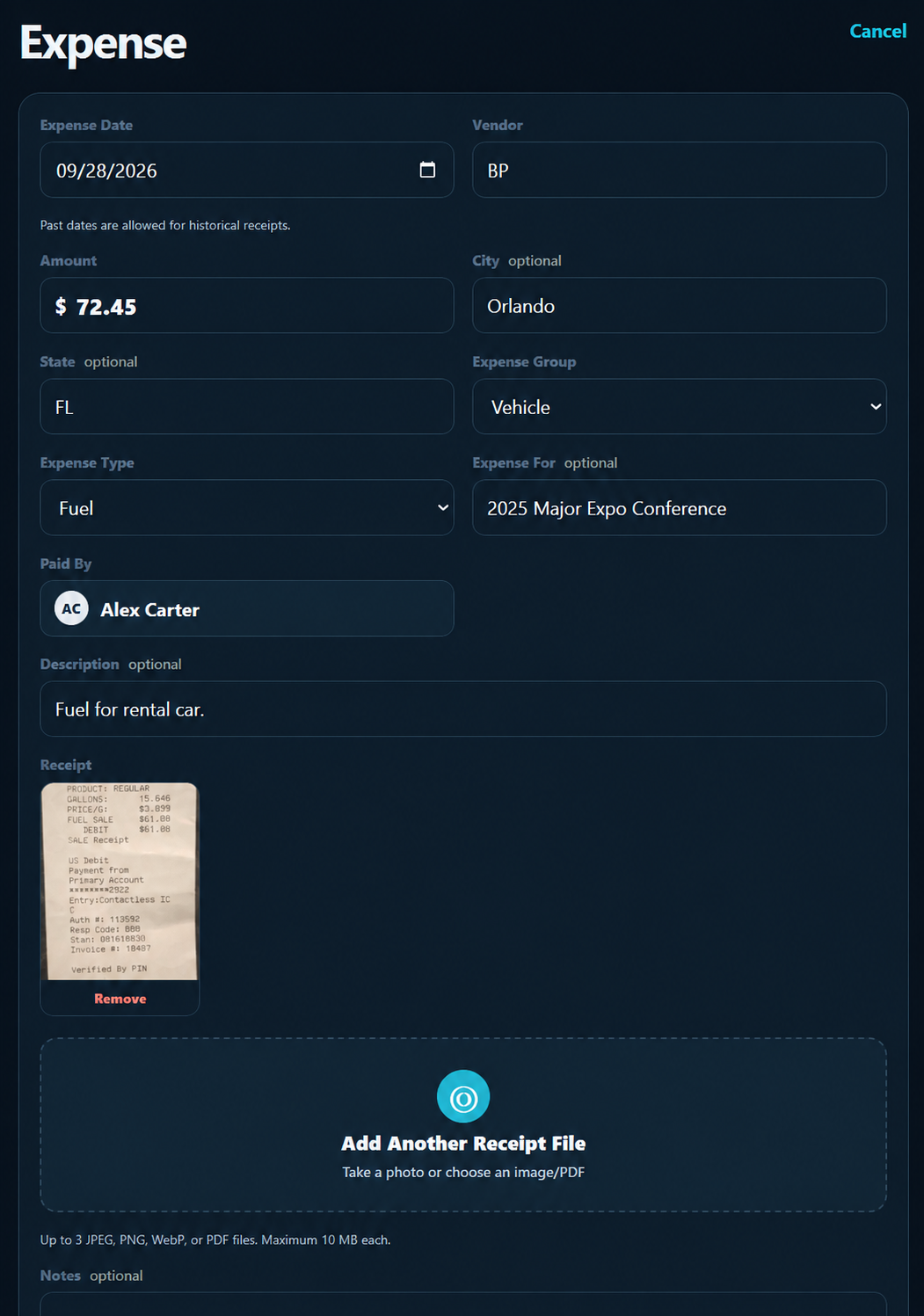
Attach up to three files to an expense so the receipt, hotel folio, invoice, or other supporting paperwork stays with the record.
Photos and PDFsXPNC accepts JPEG, PNG, WebP, and PDF files up to 10 MB each.
More than a single photoUse up to three attachments when the expense needs more than one piece of documentation.
Find what is still missingReceipt counts and filters help you find expenses that still need documentation.
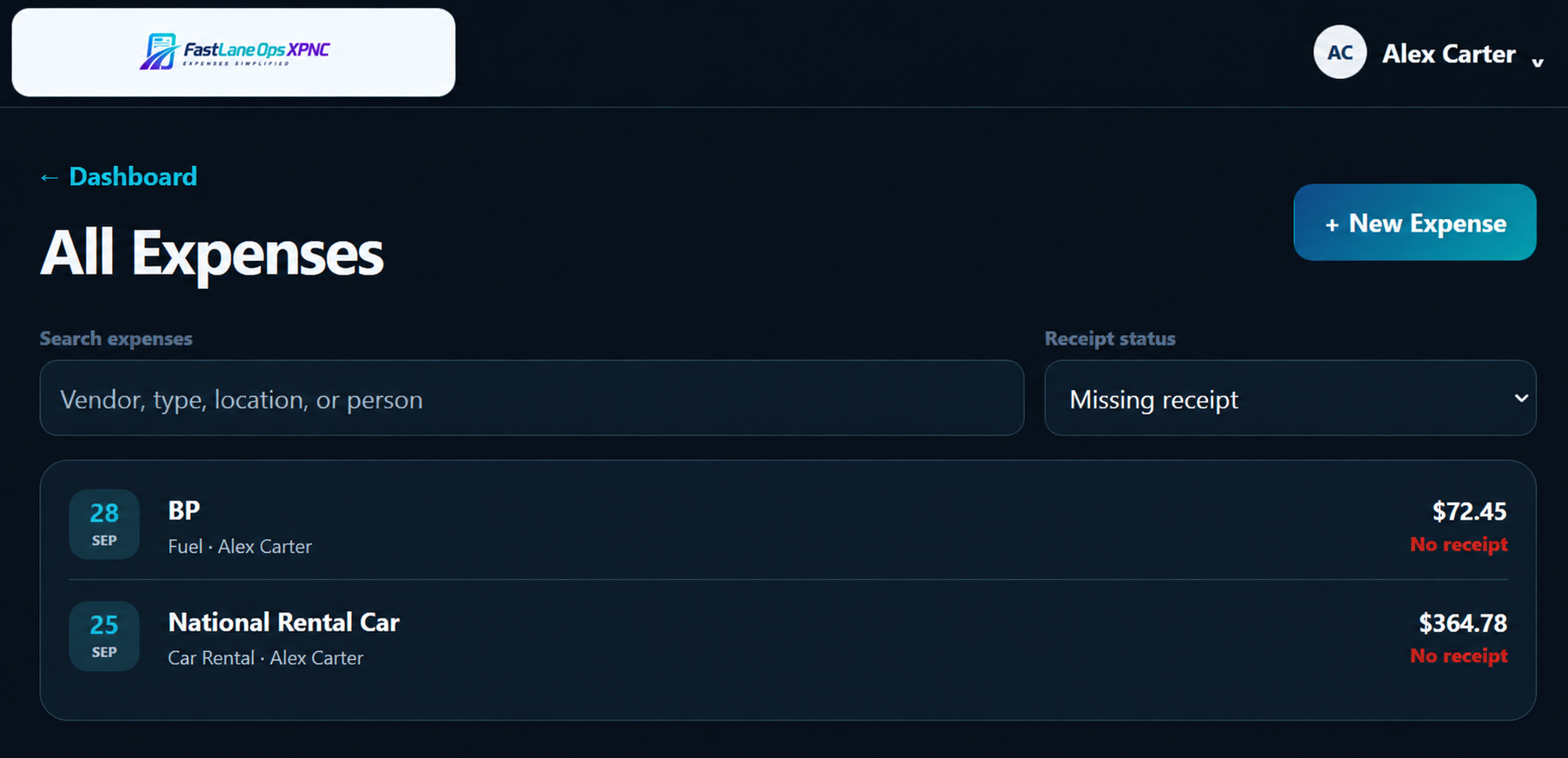
Find what needs attention
See the missing receipt before the month stalls.
Filter the expense list to see what still needs documentation. The person who paid stays with the record, so you know exactly what needs follow up.
See every expense that still needs a receipt
Search by vendor, type, location, or person
Open the expense and finish the record
Reporting
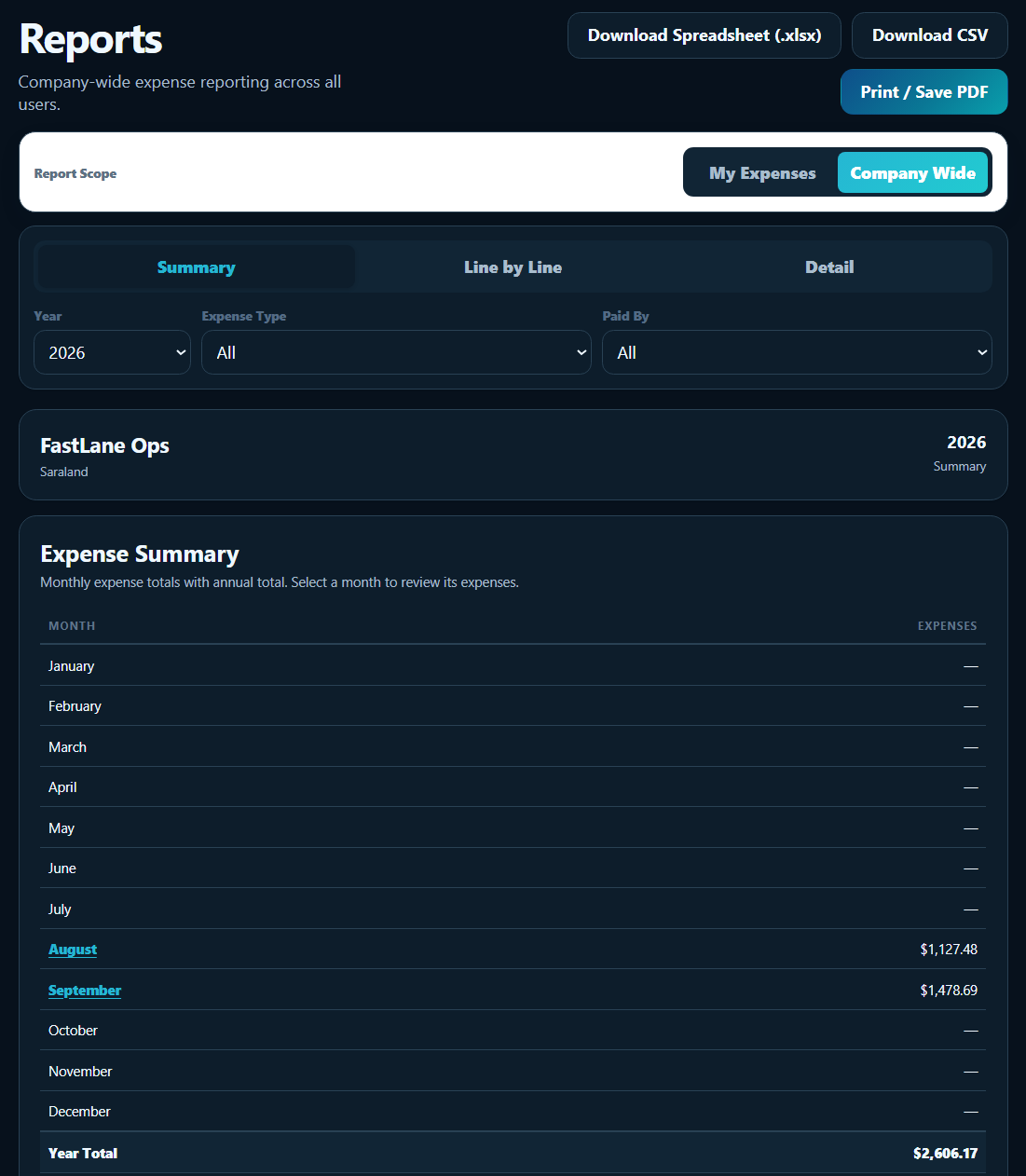
Clean records when you need them.
See the month at a glance or open the details when it is time to review expenses.
SummarySee totals without sorting through every individual expense.
Line by lineReview the expenses that make up the month.
Audit detailSee the full record and supporting documentation.
Excel spreadsheetCSVPrint or Save PDF
Month close and company workspace
Finish the month without losing control of it.
Close the month when the records are ready. If something needs to be corrected later, an administrator can reopen it.
Closed months stay protected from changes so the records do not keep moving underneath you.
An administrator can reopen the month, make the correction, and put the records back in order.
The people spending the money can record the expense.
Review company records and reporting in one place.
Understand what changed when you need to check.
Add your company logo and choose light or dark mode.
Simple pricing
Simple software. Simple price.
One straightforward plan for businesses that want cleaner expense records without enterprise complexity.
$9.99per company per month
30 day free trial
Multiple usersMobile and desktop expense entryUp to three receipts per expenseSummary, line by line, and audit reportsSpreadsheet and CSV exportsPrint or Save PDFMonth close and reopenLight and dark modes
FAQ
Questions before you start?
Can I use XPNC from my phone?
Yes. XPNC works from a phone or desktop and can be installed as a mobile friendly PWA.
Can I enter an expense from an older month?
Yes. XPNC supports expense entry for previous months and years.
What can I attach to an expense?
You can attach up to three JPEG, PNG, WebP, or PDF files. Each file can be up to 10 MB.
What happens after I close a month?
The month is protected from changes. If something needs to be corrected later, an administrator can reopen it.
Is XPNC only for repair shops?
No. XPNC is built for businesses that need a simpler way to capture expenses, keep receipts organized, and produce useful records.
Is XPNC accounting software?
No. XPNC focuses on capturing and organizing business expenses and supporting documentation. It gives you clean records and useful exports without trying to replace a full accounting platform.
FastLane Ops XPNC
Spend less time chasing expenses.
Capture the expense when it happens. Keep the receipt with it. Finish the month with cleaner records.